How to use OpenRouter with Claude Code
Set up OpenRouter with Claude Code on macOS or Linux: the endpoint, key and model, loaded per command so your own Claude Code settings stay untouched.
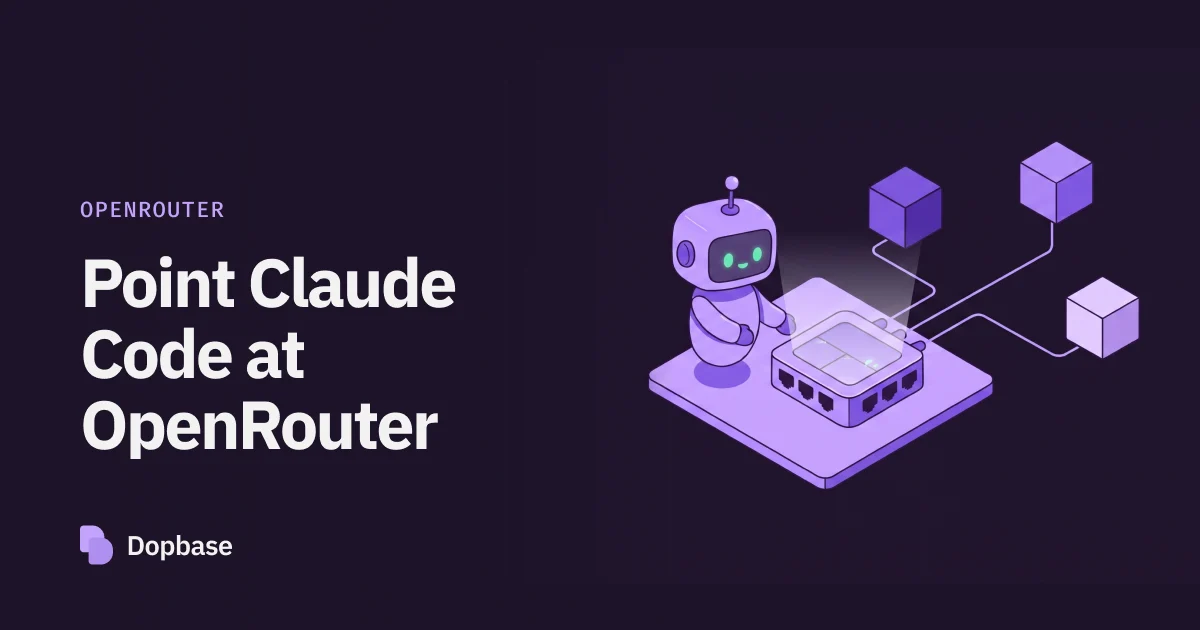
To use OpenRouter with Claude Code, set ANTHROPIC_BASE_URL to https://openrouter.ai/api, ANTHROPIC_AUTH_TOKEN to your OpenRouter key, and ANTHROPIC_API_KEY to an empty string. Those are the three variables in OpenRouter’s guide, and we add ANTHROPIC_MODEL to choose the model. You don’t need Claude Code Router or a local proxy. This post keeps all four in a Dopbase environment and starts Claude Code with them, so your own Claude Code settings stay untouched. The setup takes a few minutes once both tools are installed.
We tried one wrong URL on purpose. OpenRouter’s guide says to leave /v1 off the base URL, so we added it to see what Claude Code would say. It printed “There’s an issue with the selected model (anthropic/claude-haiku-5.5). It may not exist or you may not have access to it.” The model ID was fine. The URL was the problem, and the message never mentions a URL.
We tested on 21 November 2026 with Claude Code 2.1.330, Dopbase 0.2.0 and the anthropic/claude-haiku-5.5 model. Claude Code ran in a Debian container (Docker 29.8.2 on macOS 27.2.1), and we clicked through the dashboard steps against a local Dopbase server. The commands are for macOS and Linux. We didn’t test Windows, a machine with a saved Claude login, or models from other labs, and the post says where that matters.
Contents
- 1. What you need
- 2. Get an OpenRouter API key
- 3. Set the endpoint, key and model
- 4. Keep the settings in Dopbase
- 5. Start Claude Code with OpenRouter and check the model
- 6. Go back to your subscription
- 7. Do you need Claude Code Router or a proxy?
- 8. Common errors
- Run the test yourself
- Questions
- Conclusion
1. What you need
You need three things: Claude Code, an OpenRouter account with a key, and Dopbase. Dopbase is a secrets manager for developers and AI coding agents. It stores values by project and environment on a server, and dopbase run hands one environment to one command. You don’t need it to reach OpenRouter. We use it here so the four variables live in one place and reach only the Claude Code process you start.
Install Claude Code from its setup page and Dopbase from the quick start, then check both:
claude --version
dopbase --version
Our run printed 2.1.330 (Claude Code) and v0.2.0. The DeepSeek walkthrough pins an older Claude Code for DeepSeek. We pinned nothing for OpenRouter and 2.1.330 worked.
Dopbase also needs a running server. Start one with dopbase server start, then open the dashboard at http://localhost:8840 and sign in. The setup guide covers the first sign-in and the recovery kit.
2. Get an OpenRouter API key
Create a key in your OpenRouter account. OpenRouter’s authentication docs say you give the key a name and choose a credit limit. Set one. The same page warns that a key with no limit lets a leaked key or a runaway agent spend your whole balance. This key is for a coding agent, so keep the limit small.
OpenRouter keys start with sk-or-. We have no screenshot of the key page, because it sits behind a logged-in account. Copy the key once and keep it out of your shell history.
3. Set the endpoint, key and model
Four variables make the connection. Three of them are values you choose.
| Variable | Value | What it does |
|---|---|---|
ANTHROPIC_BASE_URL |
https://openrouter.ai/api |
Sends Claude Code’s requests to OpenRouter. No /v1. |
ANTHROPIC_AUTH_TOKEN |
your sk-or-... key |
Sent as a bearer token. |
ANTHROPIC_MODEL |
anthropic/claude-haiku-5.5 |
The OpenRouter model ID Claude Code requests. |
ANTHROPIC_API_KEY |
empty | OpenRouter’s guide says this must be an explicit empty string. |
The names still start with ANTHROPIC_ because Claude Code speaks the Anthropic API format, and OpenRouter accepts it at that URL. There’s no local proxy to start.
Start with a Haiku model for the first run, so you learn the connection works before you pick a model that costs more.
OpenRouter’s guide also lists ANTHROPIC_DEFAULT_OPUS_MODEL, ANTHROPIC_DEFAULT_SONNET_MODEL, ANTHROPIC_DEFAULT_HAIKU_MODEL and CLAUDE_CODE_SUBAGENT_MODEL for mapping Claude Code’s model names and its subagents. We set only ANTHROPIC_MODEL and didn’t test the others.
4. Keep the settings in Dopbase
You do all of this in the dashboard, with no file and no terminal command.
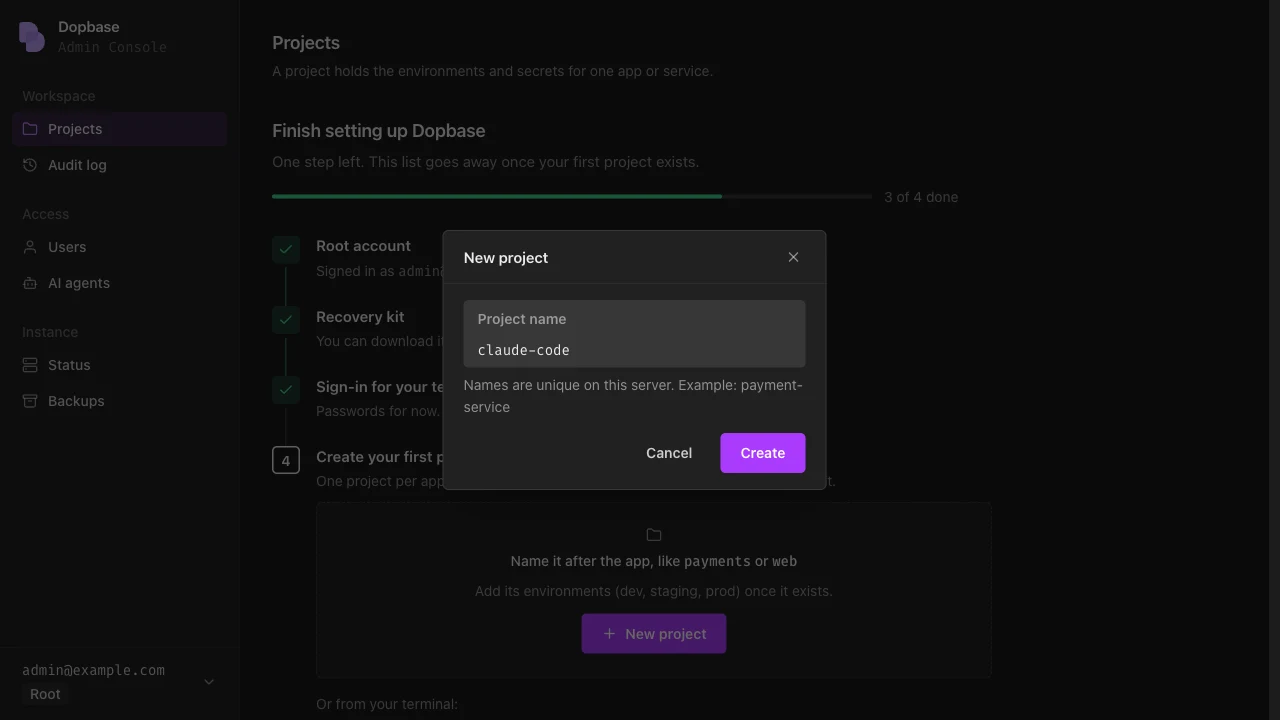
Open Projects, choose New project, name it claude-code and choose Create.
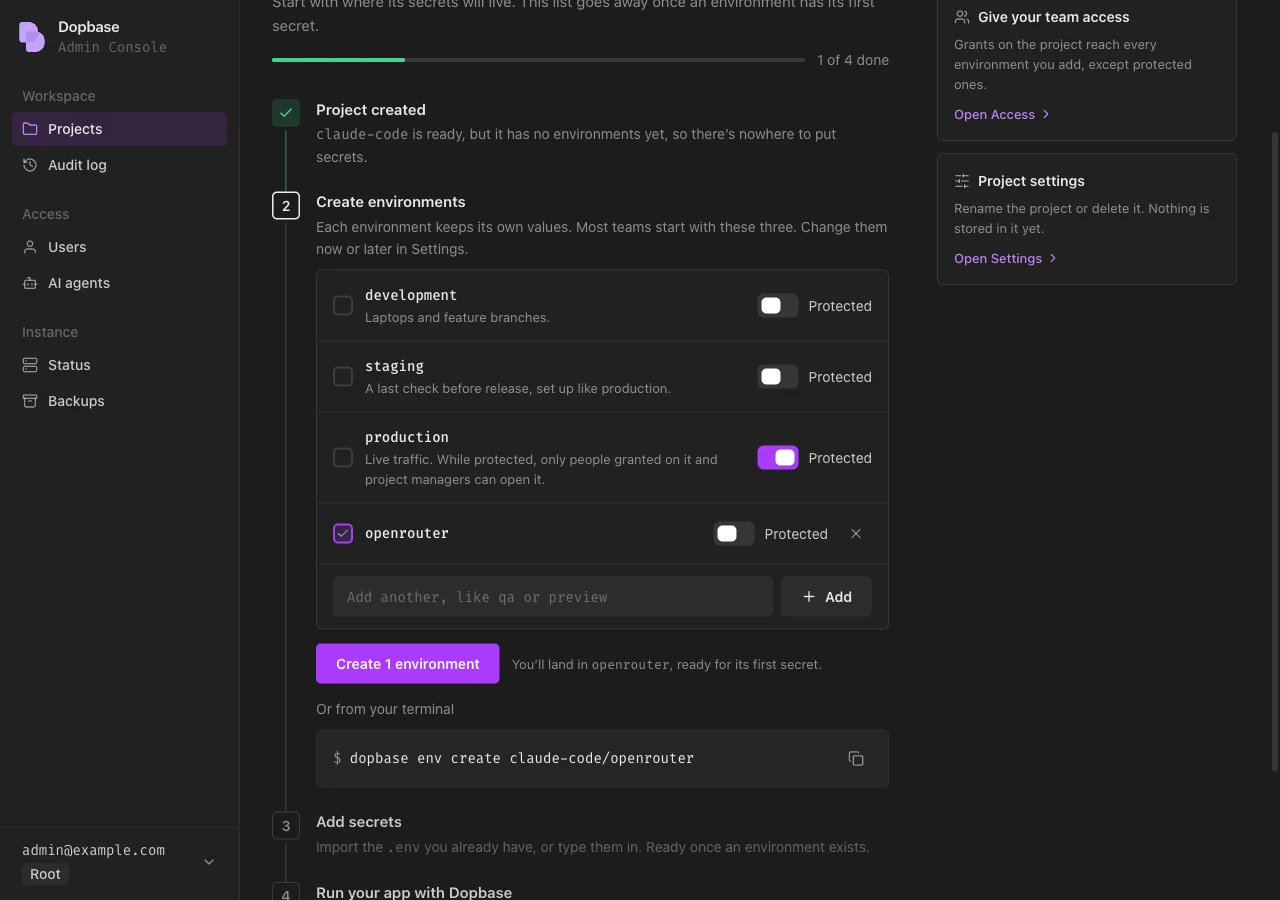
A project is one application or tool. The next screen offers to create development, staging and production. We unticked all three, typed openrouter under Add another, chose Add, then Create 1 environment. An environment holds one set of values, so a second provider can get its own later.
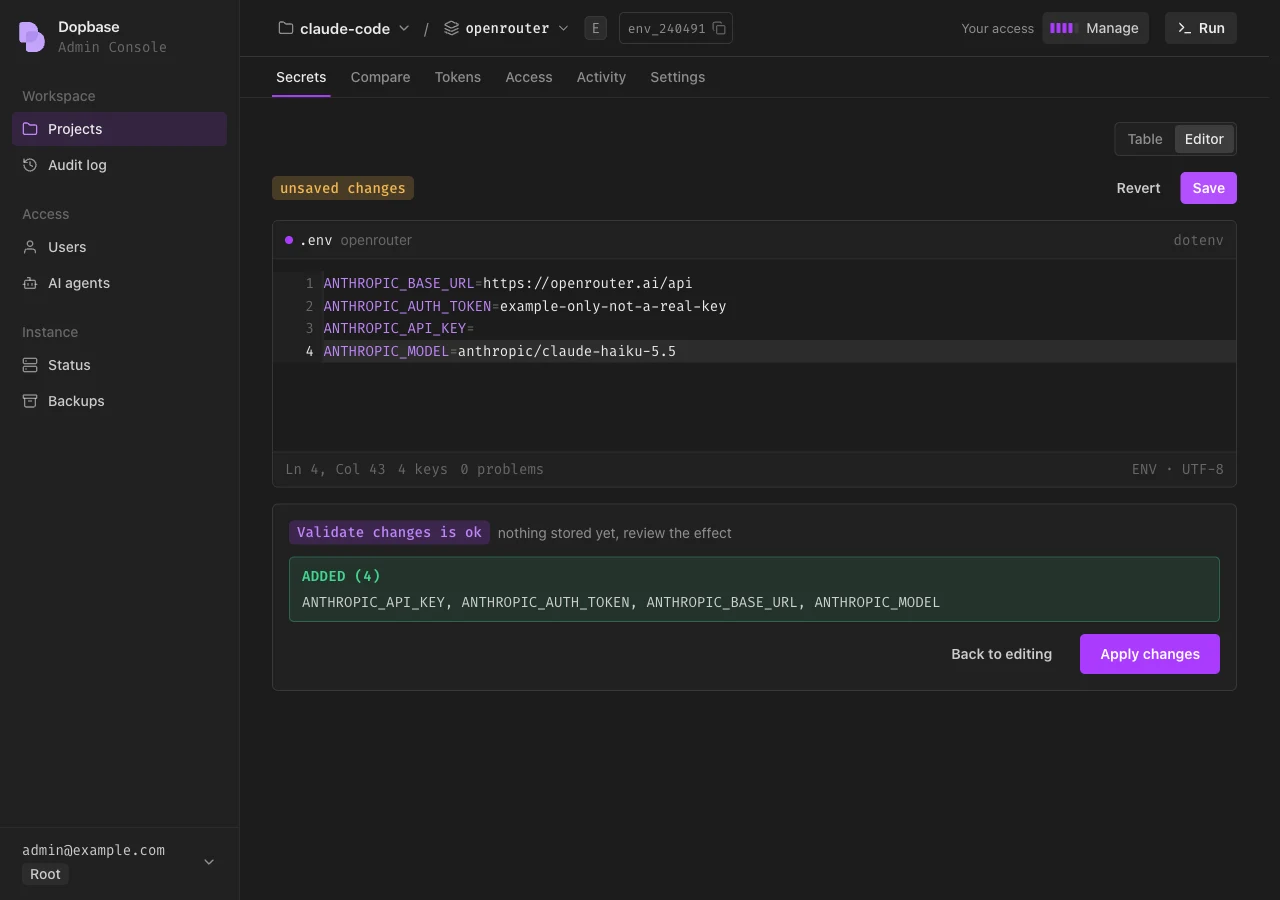
The new environment opens empty. Choose Paste .env, paste the four lines below with your own key in place of the placeholder, then choose Save.
ANTHROPIC_BASE_URL=https://openrouter.ai/api
ANTHROPIC_AUTH_TOKEN=replace-with-your-openrouter-key
ANTHROPIC_API_KEY=
ANTHROPIC_MODEL=anthropic/claude-haiku-5.5
Dopbase shows the four keys it will add and stores nothing until you choose Apply changes. It can ask for your password first. The editor shows the key in plain text while you paste it, so do this where nobody is watching your screen. (The example key in our screenshot is example-only-not-a-real-key.) OpenRouter’s guide warns that Claude Code doesn’t read a project .env file. That still holds here: the pasted text is only how the values get into Dopbase, and dopbase run passes them to Claude Code as environment variables.
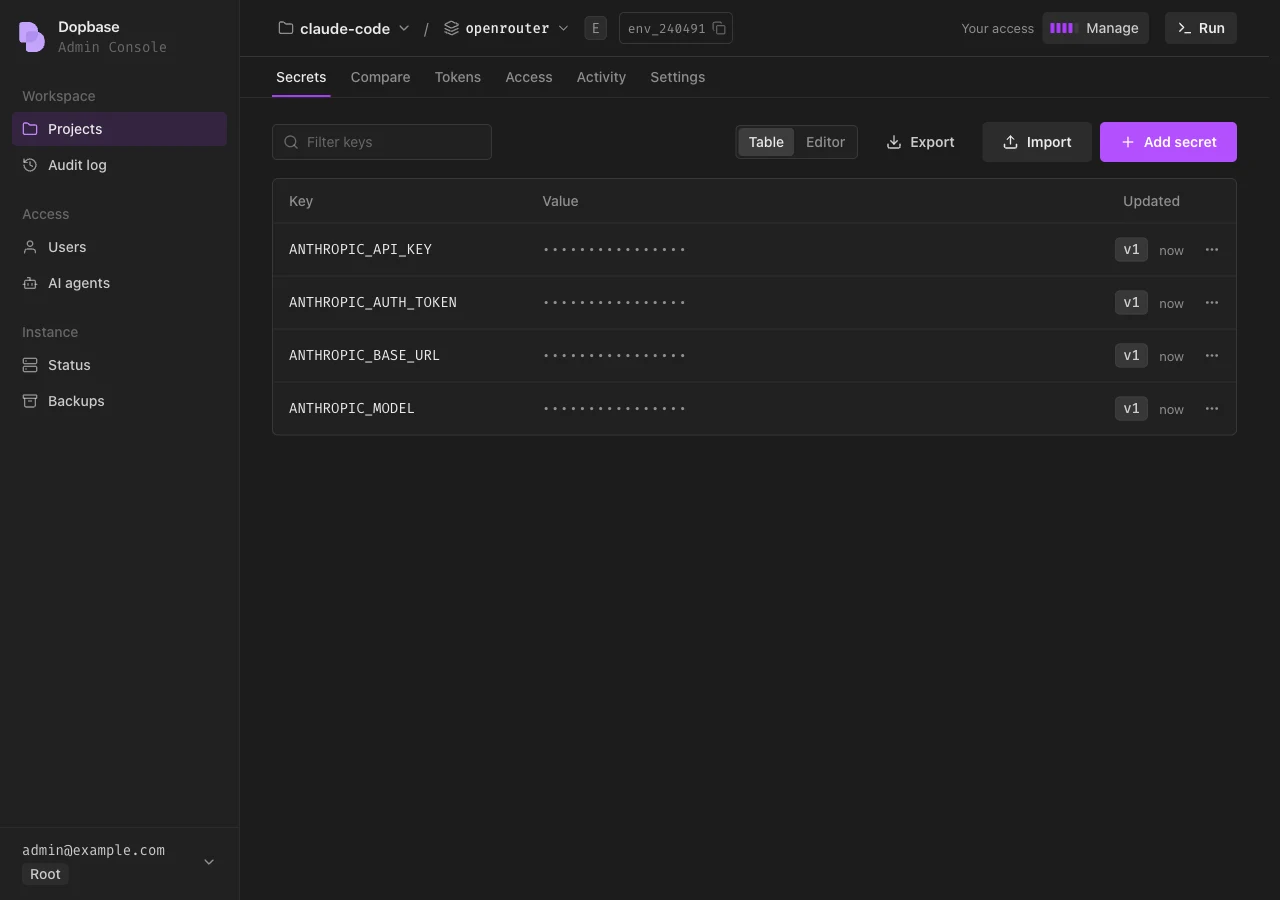
After you apply, switch to Table. It lists the four names and hides every value. The editor accepted the empty ANTHROPIC_API_KEY= line with 0 problems. The dotenv guide explains the format if that line looks odd.
You can do the same from a terminal. dopbase import loads a .env file into an environment, and the import guide covers it.
Keep this environment to the provider values and nothing else. An agent started inside dopbase run inherits every value in that environment, and it can print them. Your database passwords and production keys belong in other environments that you pass to your own commands, never to the agent. The guide on keeping secrets out of an AI coding workspace covers that boundary.
5. Start Claude Code with OpenRouter and check the model
The dashboard and the CLI sign in separately, so run dopbase login once. Then go to the project you want Claude Code to work in and ask for one short reply:
dopbase login
cd ~/your-project
dopbase run claude-code/openrouter -- claude -p "Reply with exactly: OK"
Dopbase prints one line about the environment and Claude Code answers. To check which model answered, ask for JSON and look at modelUsage:
dopbase run claude-code/openrouter -- claude -p "Reply with exactly: OK" --output-format json | grep -o '"modelUsage":{"[^"]*"'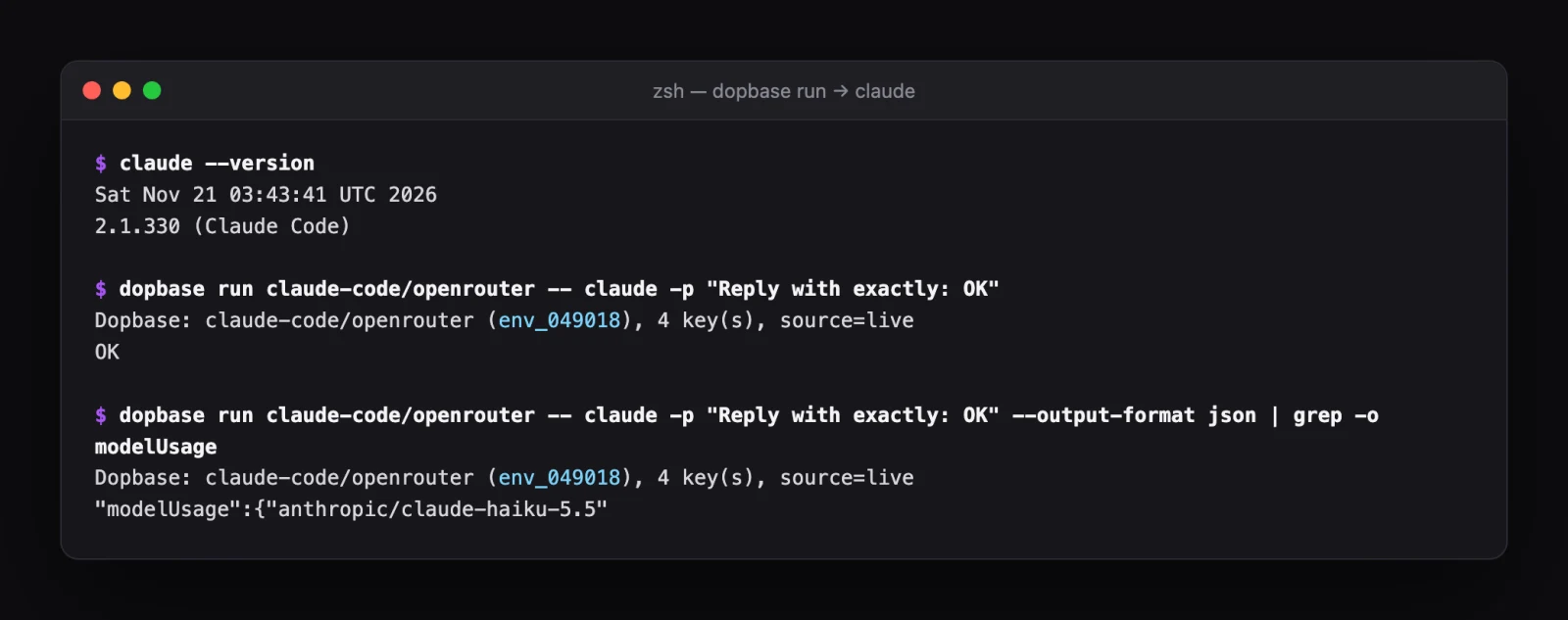
source=live means Dopbase fetched the values from the server for this launch. modelUsage named anthropic/claude-haiku-5.5, the ID we stored. That’s the check that matters, because an OK alone doesn’t tell you which model replied.
For an interactive session, drop the -p part:
dopbase run claude-code/openrouter -- claudeOpenRouter’s guide says /status in that session should show Auth token: ANTHROPIC_AUTH_TOKEN and Anthropic base URL: https://openrouter.ai/api. We ran the one-shot form and didn’t open the interactive screen, so we haven’t seen that output ourselves.
6. Go back to your subscription
Run claude with no Dopbase in front of it:
claude -p "Reply with exactly: OK"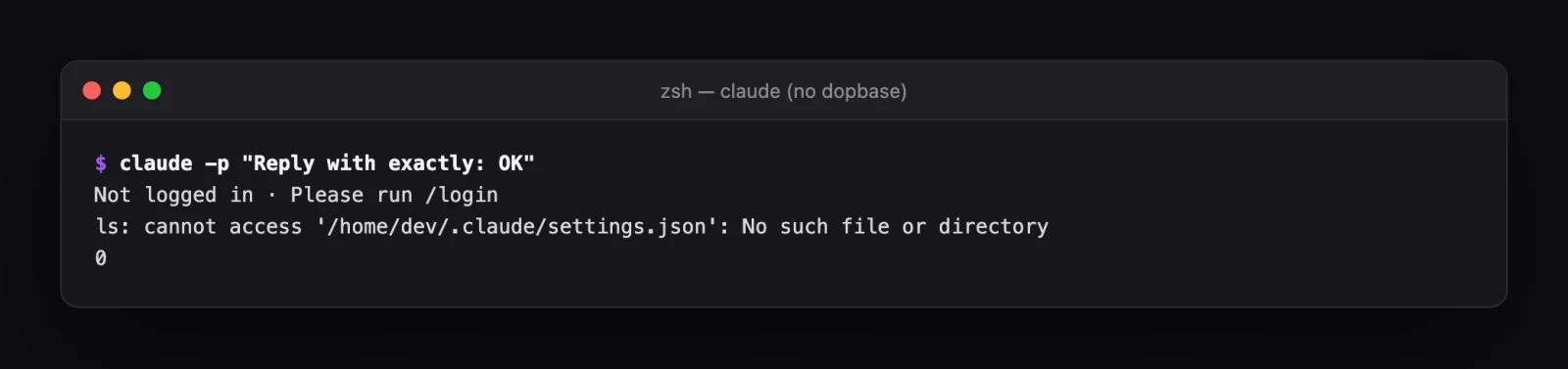
Plain claude didn’t use OpenRouter. It printed Not logged in · Please run /login, because our container had no Claude login. The Claude folder had no settings.json, and the shell had no ANTHROPIC_ variable set. Dopbase passed the four values to one process.
On your machine, plain claude should use the login you already have. We couldn’t prove that part, because the container had no saved login to keep. Two sources disagree on a related point. OpenRouter’s guide tells you to run /logout so a cached login doesn’t override the variables. Claude Code’s gateway page says that while a gateway credential variable is set, requests carry that credential and the saved login is kept but not sent. If you set the variables in a shell profile, the first matters to you. With a per-command environment, both pages describe the same state, because the variables are gone when the command ends.
Your settings.json and your shell profile stay as they are, and the OpenRouter route exists only when you type the longer command.
7. Do you need Claude Code Router or a proxy?
No. Claude Code Router is a separate project (musistudio/claude-code-router on GitHub), and it’s what a search for “claude code router” usually finds. The name is close to OpenRouter’s, but it’s a different thing. Its README, which we read on 21 November 2026, describes a local model gateway. Claude Code talks to one local endpoint, and you manage providers and routing rules behind it. OpenRouter is one of the providers it supports.
Here Claude Code talks to OpenRouter directly, and OpenRouter routes between providers. A router on your machine is for rules you write yourself, and its README lists request logs and fallback models too. We didn’t install or run it, so this stops at what the README says. If you later want routing rules of your own, that’s when a local gateway earns its setup.
A search for “claude code proxy” often means something else: a local program that translates Claude Code’s requests for another API, or the HTTPS_PROXY setting a company network needs. This setup needs no translating program. A company proxy is a separate setting, which Claude Code’s network configuration page covers.
8. Common errors
We caused each of these on purpose and saved the output.
| What you see | What it means | What to do |
|---|---|---|
API Error: 400 anthropic/claude-haiku-9 is not a valid model ID |
OpenRouter has no model with that ID. Claude Code also warns that it doesn’t recognize the model and assumes a 1m-token context window. | Copy the ID from OpenRouter’s model page and update ANTHROPIC_MODEL. |
Failed to authenticate. API Error: 401 User not found. |
OpenRouter doesn’t know the key it received. | Check ANTHROPIC_AUTH_TOKEN. Replace it with dopbase secret set claude-code/openrouter ANTHROPIC_AUTH_TOKEN. |
There's an issue with the selected model (...) with a valid ID |
The base URL ends in /v1. |
Set ANTHROPIC_BASE_URL to https://openrouter.ai/api. |
Not logged in · Please run /login |
Claude Code received no OpenRouter variables. | Start it with dopbase run claude-code/openrouter -- claude. |
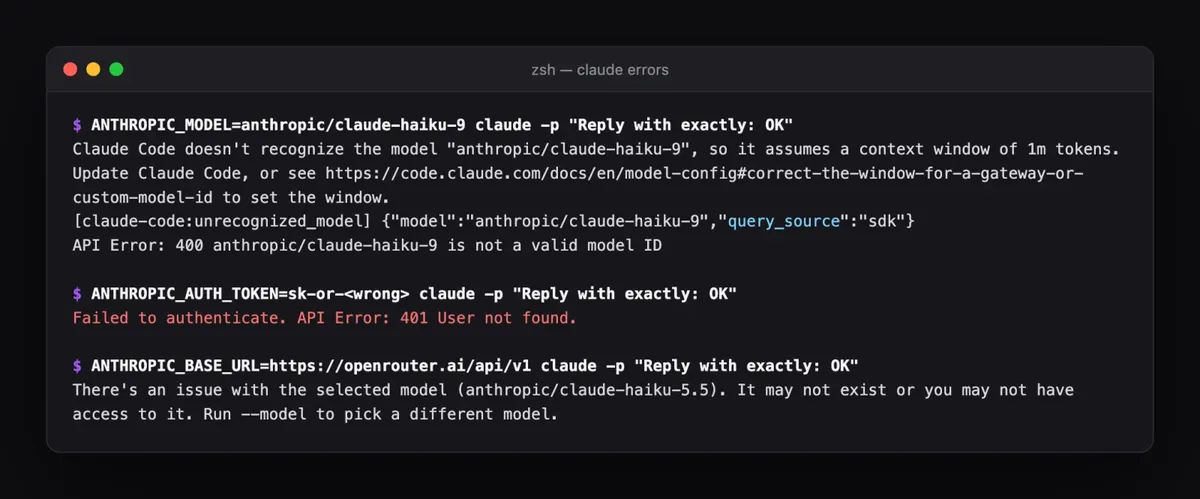
The third row blames the model when the fix is in the URL. OpenRouter’s guide names a second cause for model-not-found errors: a cached Claude login, which it tells you to clear with /logout. Our container had no login, so we didn’t see that one.
If a run still uses an old value after you change it, check the env block in your user, project and local settings.json files. A value there can replace what Dopbase injects. The Claude Code environment variables guide explains the order.
Run the test yourself
Create the project and environment in the dashboard first (step 4), with your own key. Then run:
dopbase login
cd ~/your-project
dopbase run claude-code/openrouter -- claude -p "Reply with exactly: OK"
claude -p "Reply with exactly: OK"
The first claude answers through OpenRouter. The last one doesn’t, and on a machine with no login it asks you to run /login. In our container the same two commands printed OK and then Not logged in · Please run /login. That environment came from dopbase init, with a real key. On the dashboard-made environment we only checked that dopbase run passed all four variables to a command, using an example key. We didn’t send a request with it.
Questions
Does Claude Code support OpenRouter?
Yes. Set ANTHROPIC_BASE_URL to https://openrouter.ai/api, put your OpenRouter key in ANTHROPIC_AUTH_TOKEN, leave ANTHROPIC_API_KEY empty, and set ANTHROPIC_MODEL to an OpenRouter model ID. We ran it on Claude Code 2.1.330 and got a reply from anthropic/claude-haiku-5.5.
What is the OpenRouter base URL for Claude Code?
It’s https://openrouter.ai/api, with no /v1 on the end. In our test, adding /v1 produced a model error instead of a URL error. You don’t need Dopbase to set it: you can export the variable in your shell or put it under env in a settings.json, as OpenRouter’s guide shows.
Does ANTHROPIC_API_KEY have to be empty?
OpenRouter’s guide says it must be an explicit empty string, so a stray Anthropic key isn’t used. We left it out in a container with no saved login, and the run still worked. We also ran it with an example sk-ant- value set and it still answered. Neither test covers a machine with a saved login, so keep it empty.
Does using OpenRouter with Claude Code use my Claude subscription?
No. Requests carry the OpenRouter key and go to OpenRouter, so they’re billed to your OpenRouter account. Claude Code’s gateway page says the subscription’s usage limits don’t apply to requests sent with a gateway credential.
Is Claude Code Router the same as OpenRouter?
No. OpenRouter is a hosted service that Claude Code talks to directly, so there’s no local proxy to run. Claude Code Router is a separate project that runs on your machine, and its README lists OpenRouter as one of the providers it can use. We ran OpenRouter directly and didn’t run Claude Code Router.
Conclusion
Four variables connect Claude Code to OpenRouter: the endpoint, your key, a model ID and an empty ANTHROPIC_API_KEY. Stored in Dopbase and started with dopbase run, they apply to one command and nothing else on your machine changes.
I’d start with the OK test on a Haiku model and check modelUsage before opening a session. If a model error names an ID you copied from OpenRouter, I’d check the base URL before the model. We didn’t test a machine with a saved Claude login, the interactive /status screen, Windows, other models or Claude Code Router, so check those yourself. The daily command is:
dopbase run claude-code/openrouter -- claude