dotenv Explained: Complete Guide for Developers
Learn how dotenv loads .env files in Node.js, validate environment variables, fix common errors, and move from local files to Dopbase runtime injection.
Your application starts, reaches for an API key, and gets undefined. You check the .env file. The variable is there. The spelling is correct. Why can’t the application see it?
Creating a configuration file is only the first step. Something still needs to load it.
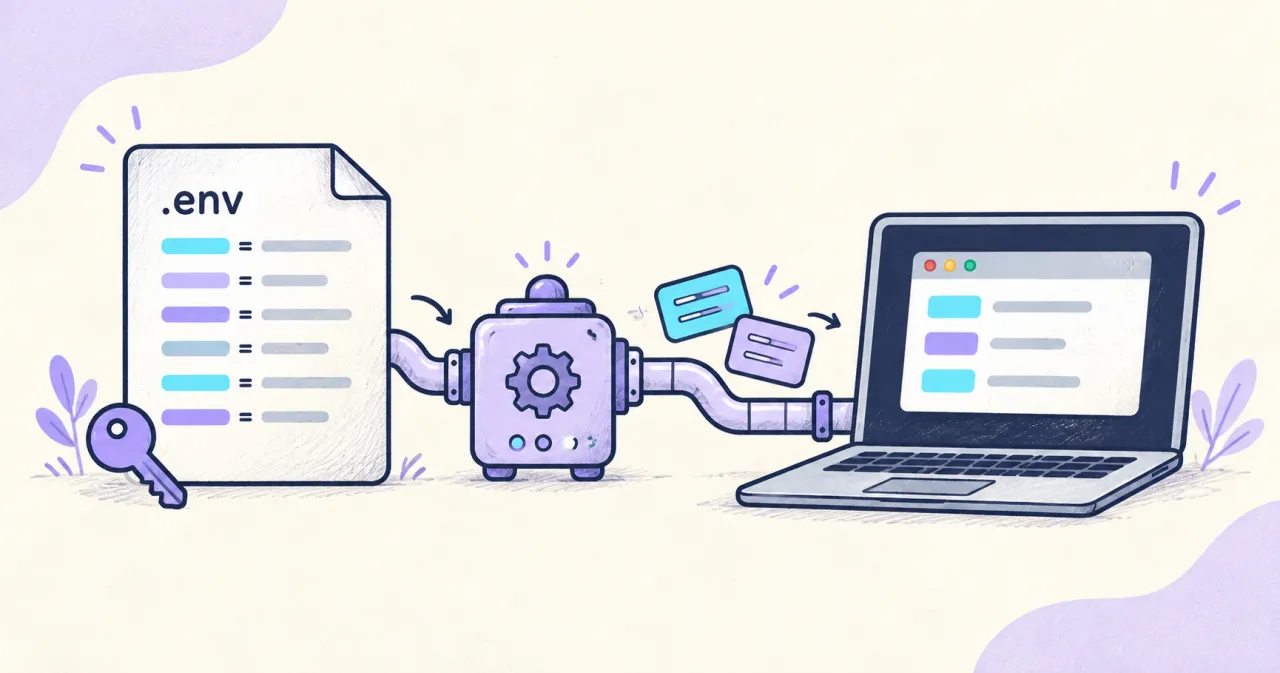
Dotenv is a Node.js package that reads a .env file and loads its values into process.env. Your application then reads those values as environment variables. This keeps configuration separate from application code, but it does not encrypt the file or manage who can access its contents.
This guide explains the full workflow: loading configuration, validating it, diagnosing common problems, and moving to managed secrets when local files become difficult to maintain.
What is dotenv, and how is it different from .env?
These three terms describe different parts of the same workflow:
| Term | Meaning | Example |
|---|---|---|
.env |
A text file containing configuration values | PORT=3000 |
dotenv |
A package that reads those values into a Node.js process | require('dotenv').config() |
| Environment variable | A value available to a running process | process.env.PORT |
Environment variables can also come from your shell, hosting platform, container runtime, or a secrets manager. An application does not need a .env file if its environment is already configured.
That distinction makes deployment simpler. The application can always read process.env.API_KEY; you choose how to supply the value in each environment.
How to use dotenv in Node.js
Use Node.js 24 for this walkthrough. The examples use the dotenv 17 API and separate application logic from configuration loading, so you can try different loading methods later.
1. Create a small project
Run:
mkdir dotenv-demo
cd dotenv-demo
npm init -y
npm install dotenv@17
Create a .env file in this directory:
APP_NAME=dotenv-demo
PORT=3000
DEBUG=false
API_KEY=example-only-not-a-real-key
Use the fake key above for the exercise. The sample validates configuration without connecting to an external service.
2. Write an application that validates its configuration
Create app.cjs:
function required(name) {
  const value = process.env[name];

  if (value === undefined || value.trim() === "") {
    throw new Error(`Missing required environment variable: ${name}`);
  }

  return value;
}

const appName = required("APP_NAME");
const apiKey = required("API_KEY");
const portText = process.env.PORT ?? "3000";
const port = Number(portText);
const debugText = process.env.DEBUG ?? "false";

if (
  !/^\d+$/.test(portText) ||
  !Number.isInteger(port) ||
  port < 1 ||
  port > 65535
) {
  throw new Error("PORT must be an integer between 1 and 65535");
}

if (!["true", "false"].includes(debugText)) {
  throw new Error("DEBUG must be true or false");
}

const debug = debugText === "true";

console.log(`${appName}: configuration ready`);
console.log(`Port: ${port}; debug: ${debug}`);
console.log(`API key configured: ${Boolean(apiKey)}`);
This program checks configuration and exits. It does not start a server or test whether the API key is valid.
The explicit conversions matter. Environment values are strings: "false" is a nonempty string, so Boolean("false") evaluates to true. Validate values before using them to control application behavior.
3. Load dotenv with CommonJS
Create start.cjs:
const result = require("dotenv").config();

if (result.error) {
  throw result.error;
}

require("./app.cjs");
Run:
node start.cjsYour application output should include:
dotenv-demo: configuration ready
Port: 3000; debug: false
API key configured: true
Dotenv may also print a loading message. The program deliberately reports whether the key exists without printing its value.
This launcher requires a readable .env file. Later, when values come from Dopbase or the deployment environment, run app.cjs directly instead.
4. Use an ES module launcher if your project uses imports
Create start.mjs as an alternative:
import "dotenv/config";
import "./app.cjs";
Run it with:
node start.mjsThe .mjs extension selects ES modules; .cjs selects CommonJS. Node can import the CommonJS sample from this ES module launcher.
For custom options, configure dotenv before dynamically importing code that reads configuration:
import dotenv from "dotenv";

const result = dotenv.config({ path: ".env.development" });
if (result.error) throw result.error;

await import("./app.cjs");
Create .env.development before trying that variation. Static imports are evaluated before the importing module’s body, so putting a config() call above a static import does not guarantee the intended initialization order.
.env syntax you should understand
Keep configuration files boring and predictable:
# Local application configuration
APP_NAME="Demo application"
PORT=3000
DEBUG=false
LABEL="release#2"
OPTIONAL_VALUE=
MESSAGE="First line\nSecond line"
With dotenv, quoted # characters remain part of the value, an empty assignment produces an empty string, and \n inside double quotes becomes a newline.
There is no single formal .env specification shared by every parser. Check behavior when moving files between tools, especially around quoting, multiline values, and variable expansion.
For example, plain dotenv does not expand ${HOST} references automatically. Prefer explicit values unless your chosen loader intentionally supports interpolation.
File paths and existing values: why the wrong configuration wins
By default, dotenv looks for .env in the current working directory. Starting a command from a different folder can therefore change which file it finds.
For a CommonJS launcher that should always use the file beside it:
const path = require("node:path");
const result = require("dotenv").config({
  path: path.join(__dirname, ".env"),
});

if (result.error) throw result.error;
require("./app.cjs");
Existing environment variables take precedence under dotenv’s default behavior. If your shell already defines PORT, changing the file may not change the result.
Dotenv supports override: true, but enabling it can replace values supplied by your deployment platform. Decide which source should win before changing precedence.
Likewise, setting NODE_ENV=production does not make plain dotenv automatically select .env.production. Choose the path explicitly. Frameworks may implement their own file-selection rules.
Do you still need dotenv with modern Node.js?
Node.js has a built-in --env-file option. With the same .env and app.cjs, run:
node --env-file=.env app.cjsNo dotenv import is needed. Node loads the file before executing the application.
The flag was introduced in Node.js 20.6.0. Use a supported Node release for new projects; the Node.js 24 baseline used here includes it.
| Approach | How configuration arrives | Good fit | Main responsibility left to you |
|---|---|---|---|
| dotenv package | Application launcher reads a local file | Existing dotenv projects or programmatic loading | Protect and maintain the file |
Node --env-file |
Node reads a file before execution | Straightforward Node applications | Protect and maintain the file |
| Deployment environment | Platform or process launcher supplies values | Applications already configured by their host | Configure access and delivery correctly |
| Dopbase | CLI fetches an environment and supplies values to a child process | Centralized, self-hosted application secrets | Operate the service and protect runtime access |
Native Node loading preserves existing environment values. With multiple --env-file arguments, later files override earlier files, while existing environment values still take precedence.
Choose one loading strategy for each launch path. Combining several loaders without a clear reason makes it harder to explain where a value came from.
Common dotenv errors and practical fixes
| Symptom | What to check | Practical fix |
|---|---|---|
A variable is undefined |
Name, loading order, working directory | Load configuration before application modules and verify the path |
| An old value keeps appearing | Existing shell or platform configuration | Remove an unintended override at its source and restart |
Editing .env changes nothing |
Whether the process has reloaded configuration | Restart the process; dotenv does not continuously watch the file |
Part of a value disappears after # |
Whether the value is quoted | Quote values containing a literal # |
DEBUG=false enables debugging |
Whether code uses string truthiness | Parse and validate the accepted boolean strings |
.env.production is ignored |
File-selection behavior | Configure the path explicitly |
| A module reads configuration too early | Module initialization order | Use a preload or configure first, then dynamically import the app |
When diagnosing a missing key, log its presence rather than its contents:
console.log("Working directory:", process.cwd());
console.log("API_KEY present:", Boolean(process.env.API_KEY));
Avoid dumping process.env or dotenv’s parsed result into logs. Both can contain credentials.
Is dotenv secure?
Dotenv helps keep configuration out of application source. A normal .env file still contains readable text.
Add secret-bearing files to .gitignore and commit a template with harmless defaults instead:
.env
.env.*
!.env.example
For this application, .env.example could contain:
APP_NAME=dotenv-demo
PORT=3000
DEBUG=false
API_KEY=
The empty key documents a requirement and deliberately fails validation until someone supplies a value.
Keep these boundaries clear:
.gitignoredoes not prevent local tools from reading files, and it does not untrack files already committed.- Exclude secret files from container build contexts, published assets, and support attachments too.
- Values included in browser-delivered JavaScript are available to users. Keep private credentials on the server.
- Use separate development and production credentials with the minimum permissions needed.
- If a credential leaks, revoke or rotate it before cleaning up the file or Git history. Deleting a file does not invalidate the credential.
The same care applies after moving secrets elsewhere. Storage protection and runtime protection are separate concerns.
Move the sample application to Dopbase
A local file is easy to understand. Coordination becomes harder when several developers need updates, different projects use different credentials, and deployment environments must stay separate.
Dopbase is an open-source, self-hosted secrets manager. Its executable includes the server, CLI, Admin UI, and REST API. It organizes values by project and environment and encrypts stored secret values.
The application can continue reading process.env.
1. Install Dopbase and start a local instance
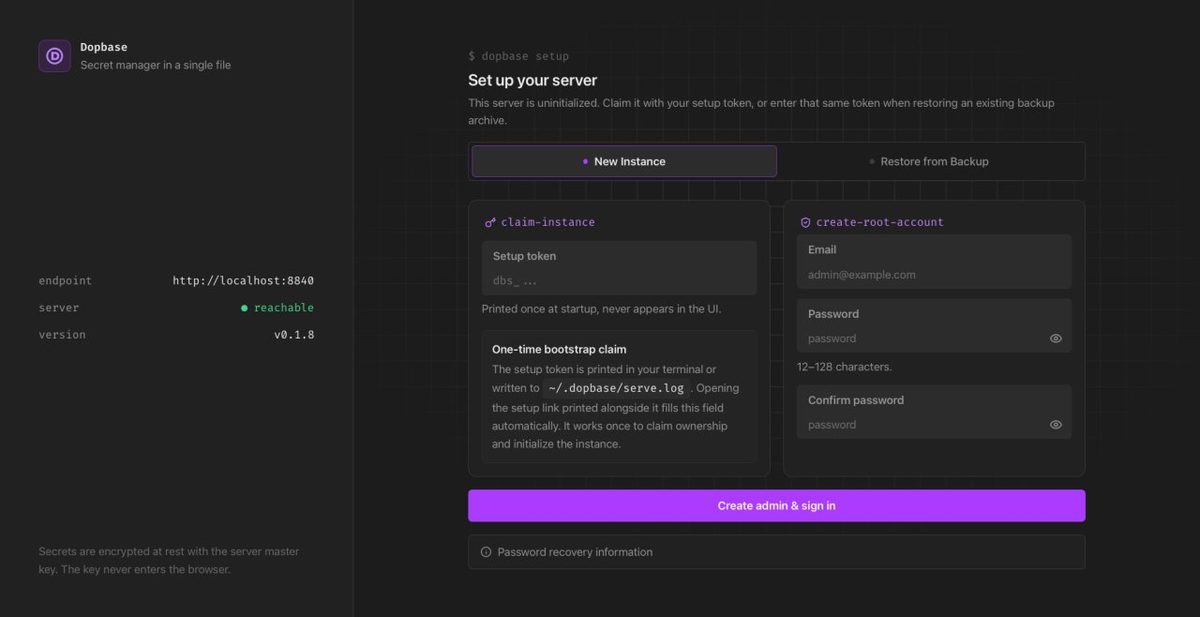
Follow the Dopbase quick start for installation. This walkthrough assumes a native macOS or Linux installation; the guide covers the Windows container option.
Confirm the installed version and start the server:
dopbase -v
dopbase server start
Leave that terminal running. Open localhost:8840 in your browser and complete the initial setup using the server’s setup token.
2. Sign in and import the demonstration values
Open another terminal in the dotenv-demo directory:
dopbase client status
dopbase login
dopbase init dotenv-demo/development --from .env
Use a new project name for this exercise. The initialization command creates the project and environment and imports the file entries.
Review the import prompts carefully: the guided flow can offer to delete the source .env file, with deletion selected by default. Keep it until you have verified the new launch path. This example contains only fake credentials.
3. Run the application with injected values
Run the application directly:
dopbase run dotenv-demo/development -- node app.cjsDopbase supplies the selected environment’s values to the child process without creating a replacement .env file. The sample should print the same three application output lines as before.
Notice that the command uses app.cjs, not start.cjs. The app needs configuration values; it no longer needs the dotenv launcher to read a file.
After confirming the workflow, remove unnecessary plaintext copies. Keep .env.example as the configuration contract for developers.
4. Understand what this changes
You now manage configuration in a named environment and choose it when launching the app. You also take on responsibility for operating Dopbase, protecting its credentials and master key, maintaining backups, and securing remote access if you expose the service beyond your machine.
Runtime injection does not make values invisible to the receiving application, its dependencies, or sufficiently privileged processes. It also does not prevent malicious application code from transmitting them.
For AI-assisted development, follow the guide to keeping secrets out of an AI coding workspace and avoid injecting real application secrets into the coding agent itself. Run credentialed work separately with restricted development credentials. Removing .env files reduces one exposure path; stronger isolation still requires appropriate execution and access controls.
Frequently asked questions
Can I use dotenv in production?
Yes, dotenv can load configuration in production. Whether that setup is appropriate depends on how the file is provisioned, protected, updated, and excluded from artifacts. If your platform already supplies environment variables, the application may not need a file loader at all.
Do I need dotenv with a framework?
Check the framework’s existing environment-loading behavior before adding it. Another loader can introduce conflicting precedence or initialization rules. Also distinguish server-only values from configuration intentionally exposed to browser code.
Does TypeScript make environment variables type-safe?
Type declarations and assertions do not validate deployment values. A variable can still be missing or malformed at runtime. Validate configuration during startup, then pass the validated values to the rest of the application.
Will changing a secret update an application that is already running?
Do not assume it will. The startup patterns shown here supply values when the process starts. Restart or redeploy the application to load updated values, unless it implements a separate configuration-refresh mechanism.
Is dotenv the same thing in every language?
The name often refers to the broader .env convention, but packages and parsing behavior differ between ecosystems. This article’s package examples are specifically for Node.js.
Start with a predictable configuration workflow
Choose a loader, validate required values at startup, and keep secret values out of logs. That gives you a configuration path you can explain and troubleshoot.
When sharing and maintaining files becomes the harder problem, try the same application with a managed environment. Follow the Dopbase quick start to begin with one development project.