Docker Compose env file: .env, env_file and --env-file
A Docker Compose env file does one of two jobs: fill ${VAR} in compose.yaml or set variables in a container. We tested which file does which.
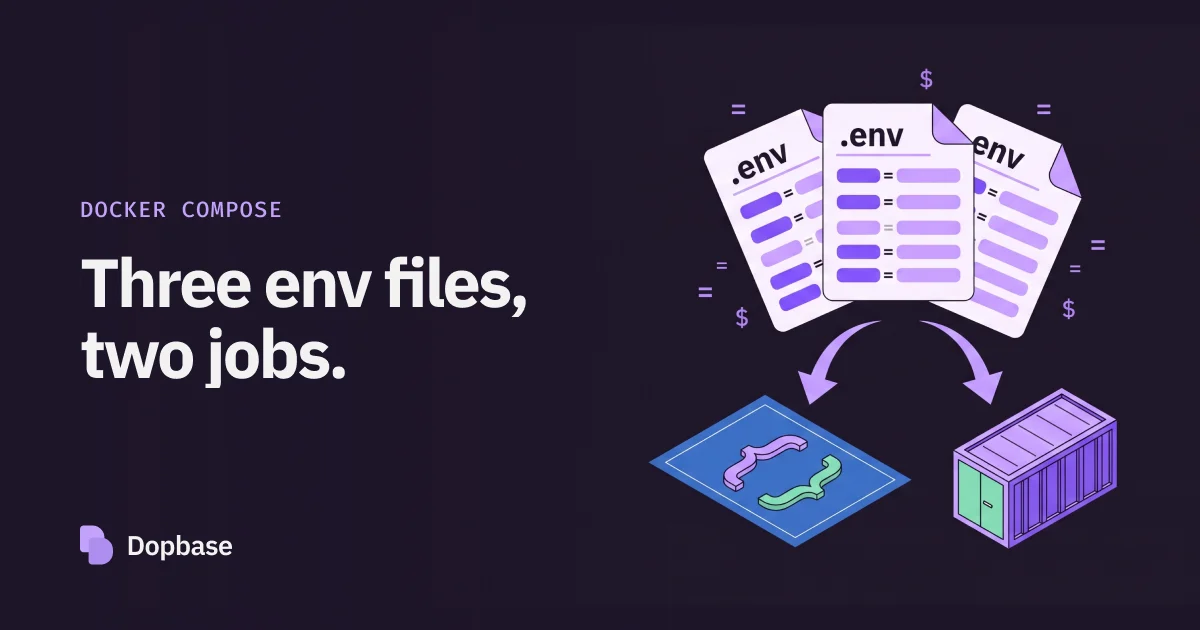
Docker Compose reads an env file in three places, and they do two different jobs. The .env file next to compose.yaml and the --env-file flag fill ${VAR} placeholders in the Compose file. The env_file attribute on a service sets variables inside that service’s container.
Mixing up those two jobs doesn’t give you an error. We deleted .env from a working project and started it again. Compose printed two warnings, published the app on a random host port, and set COPY_OF_GREETING to an empty string. The greeting was in app.env the whole time, and Compose never looks there to fill a placeholder. If you’re here because a variable came out blank, that’s the first thing to check.
Docker’s docs cover this across four pages. We ran each case on a small Express app (Node.js 24, Docker Compose v5.5.0, Docker Engine 29.8.2, macOS, 18 November 2026). One table shows what each file does, and a second shows which value wins when a name is set twice. The commands are for macOS and Linux.
Contents
- What each Docker Compose env file does
- Where Compose looks for the .env file
- Set variables in a container with env_file
- Swap the .env file for one run
- Which value wins
- Check what Compose resolved
- Run Compose without a .env file
- Run the test yourself
- Questions
- Conclusion
What each Docker Compose env file does
| File | How Compose finds it | Fills ${VAR} in compose.yaml |
Sets a variable in the container |
|---|---|---|---|
.env |
By itself, in the project folder | Yes | No |
--env-file prod.env |
The flag, placed before the command | Yes, in place of .env |
No |
env_file: app.env |
The attribute on a service | No | Yes |
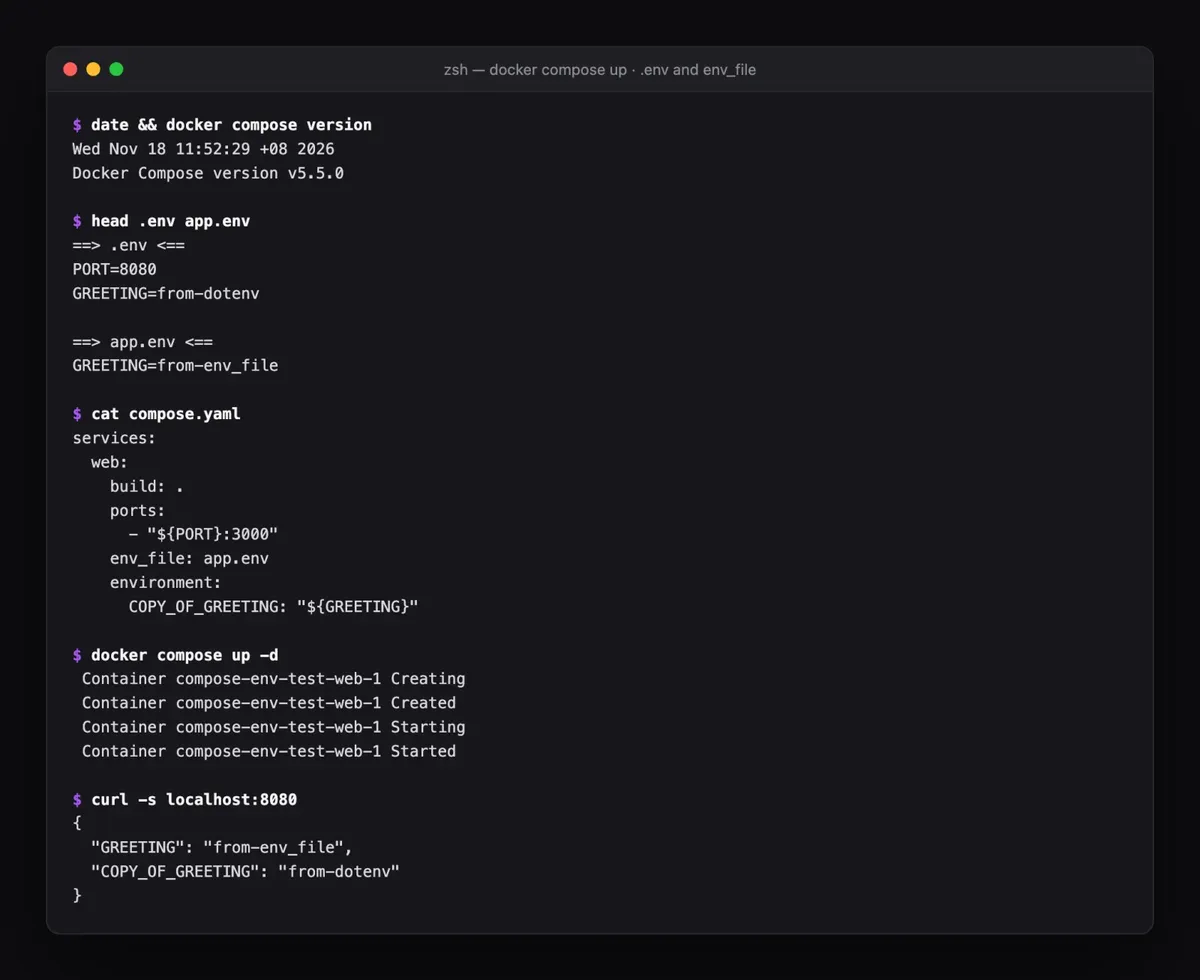
One run shows both jobs. The sample is an Express app that returns two variables as JSON. .env sets PORT=8080 and GREETING=from-dotenv, and app.env sets GREETING=from-env_file:
services:
  web:
    build: .
    ports:
      - "${PORT}:3000"
    env_file: app.env
    environment:
      COPY_OF_GREETING: "${GREETING}"
Compose filled ${PORT} and ${GREETING} from .env. The container’s GREETING came from app.env.
We deleted .env and started it again:
level=warning msg="The \"PORT\" variable is not set. Defaulting to a blank string."
level=warning msg="The \"GREETING\" variable is not set. Defaulting to a blank string."
 Container compose-env-test-web-1 Started
Nothing failed. Compose published the app on a random host port and set COPY_OF_GREETING to an empty string, although app.env sets GREETING. An env_file never fills a placeholder. I’d take an error over those two warnings, because the container still reports Started.
The other direction fails too. A variable that was only in .env never reached the container: the app answered {}. Compose reads .env for its own placeholders and passes nothing on unless the Compose file asks.
Your app may read a .env file as well, through a loader such as dotenv. That happens inside the container and has nothing to do with Compose.
Where Compose looks for the .env file
Compose reads .env from the project directory. The docs give the order: --project-directory if you pass it, then the folder of the first file named with -f, then the folder you’re in.
We put one .env in a parent folder and another in sub/, next to the Compose file, and ran from the parent:
| Command | .env Compose used |
|---|---|
docker compose -f sub/compose.yaml run web |
sub/.env |
docker compose --project-directory . -f sub/compose.yaml run web |
./.env |
docker compose --env-file .env -f sub/compose.yaml run web |
./.env |
There’s no fallback to the folder you ran from. With sub/.env deleted, the first command left the placeholder blank, with the parent’s .env sitting right there.
Set variables in a container with env_file
env_file takes one path or a list. Compose reads a list from the top, and a later file overrides an earlier one:
services:
  web:
    build: .
    env_file:
      - default.env
      - path: local.env
        required: false
Without required: false, a missing file stops the run:
env file .../local.env not found: stat .../local.env: no such file or directoryWith it, Compose skipped the missing file and used default.env. Once we created local.env, its value won. The option needs Compose 2.24.0 or later.
Compose resolves these paths from the folder that holds the Compose file. Our -f sub/compose.yaml run found sub/app.env.
env_file belongs to one service, so add the line to each service that needs the variables. The .env file format covers quotes, comments and $ in values.
Swap the .env file for one run
--env-file goes before the command and replaces .env:
docker compose --env-file prod.env up.env set APP_MODE=development and prod.env set APP_MODE=production, and the container got production. You can repeat the flag, and the last file won for a name both set.
This path is relative to the folder you run from. An env_file path is relative to the Compose file, so two options with nearly the same name resolve from opposite folders. I wouldn’t trust memory on that one. A missing file is an error: couldn't find env file: .../missing.env.
A variable exported in your shell beats both files. APP_MODE=from-shell docker compose --env-file prod.env run web gave the container from-shell.
Which value wins
For the container, the docs rank docker compose run -e first, then environment, then env_file, then ENV in the image. We set APP_MODE in several places:
What sets APP_MODE |
Value in the container |
|---|---|
env_file only |
from-env_file |
env_file, with the name also in .env or the shell |
from-env_file |
env_file and environment: APP_MODE: from-environment |
from-environment |
| The same, with the name also exported in the shell | from-environment |
The same, plus run -e APP_MODE=from-run-e |
from-run-e |
environment: - APP_MODE (name only), .env and the shell |
from-shell |
environment: - APP_MODE (name only) and .env |
from-dotenv |
env_file and environment: - APP_MODE, set nowhere else |
Not set |
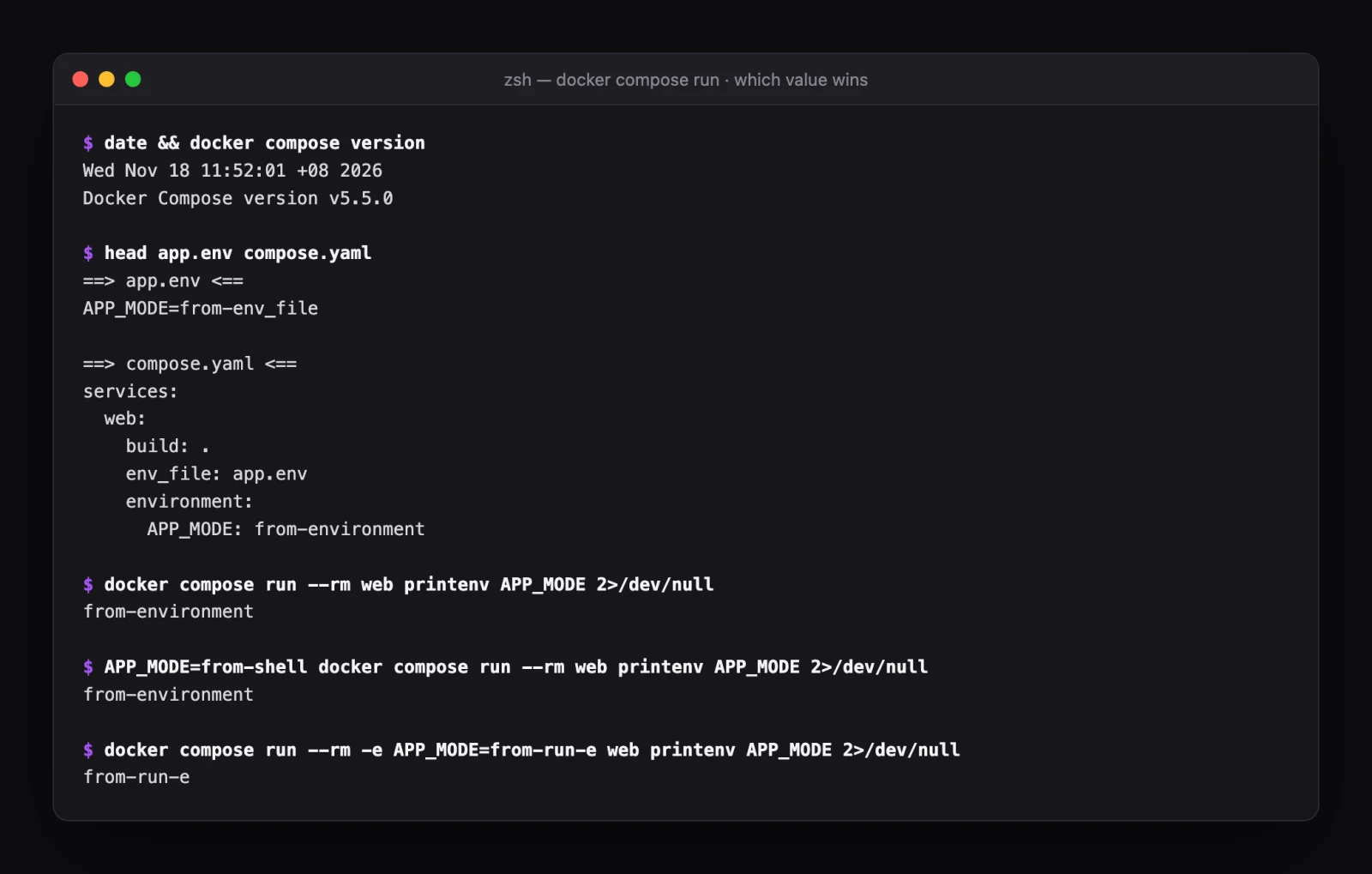
The shell and .env only count when the Compose file asks for them, with ${APP_MODE} or a name that has no value. When it does ask, the shell beats .env.
The last row is the one we ran three times, because it looks wrong. A name with no value under environment removed the variable when nothing else supplied one, even though env_file set it. All three runs gave the same result, and it’s documented: the Compose file reference says environment overrides env_file “even if those values are empty or undefined”. If a variable from your env_file goes missing, look for its bare name under environment.
Check what Compose resolved
docker compose config prints the Compose file with every placeholder filled and every env_file merged in. It starts nothing:
services:
  web:
    # ...
    environment:
      COPY_OF_GREETING: from-dotenv
      GREETING: from-env_file
    ports:
      - mode: ingress
        target: 3000
        published: "8080"
        protocol: tcp
docker compose config --environment lists what Compose can use for placeholders. In our run that was every variable exported in the shell plus the lines from .env. That’s more than the project’s own variables, so read the output before you paste it into an issue.
Both commands print values in plain text, and so does docker inspect on a running container. Docker’s docs say not to pass passwords as environment variables and point to Compose secrets, which we didn’t test here.
Add .env and your env_file files to .gitignore. If one already reached Git, revoke the key before you clean the history.
Run Compose without a .env file
Dopbase is a secrets manager for developers and AI coding agents. It keeps values on a server, grouped by project and environment, and dopbase run passes one environment to one command as environment variables. Compose reads placeholders from the shell before any file, so the .env file can go:
dopbase init shop-api/development --from .env
rm .env
dopbase run shop-api/development -- docker compose up -d
A service gets a value when compose.yaml lists the name:
services:
  web:
    build: .
    ports:
      - "${PORT}:3000"
    environment:
      - GREETING
      - APP_MODE
We ran this with Dopbase 0.2.0 and no .env on disk. The app came up on port 8080 and answered with GREETING and APP_MODE.
We also checked what this leaves unchanged. Dopbase keeps the values on its server and in an encrypted cache on your machine, and they still become container environment variables: docker compose config printed them when we ran it through dopbase run. That means dopbase run doesn’t replace Compose secrets. Anything you start inside it inherits the values, including an AI coding agent, so start the agent outside it.
If the file reached you through a teammate’s message, How to share .env variables securely with your team compares the other options.
Run the test yourself
You need Docker with Compose v2 or later and curl:
mkdir compose-env-test && cd compose-env-test
printf 'PORT=8080\nGREETING=from-dotenv\n' > .env
printf 'GREETING=from-env_file\n' > app.env
printf '{"dependencies":{"express":"^5.3.0"}}\n' > package.json
cat > server.js <<'EOF'
const express = require("express");
const app = express();
app.set("json spaces", 2);
app.get("/", (req, res) => {
  const { GREETING, COPY_OF_GREETING, APP_MODE } = process.env;
  res.json({ GREETING, COPY_OF_GREETING, APP_MODE });
});
app.listen(3000);
process.on("SIGTERM", () => process.exit(0));
EOF
cat > Dockerfile <<'EOF'
FROM node:24-alpine
WORKDIR /app
COPY package.json .
RUN npm install
COPY server.js .
CMD ["node", "server.js"]
EOF
cat > compose.yaml <<'EOF'
services:
  web:
    build: .
    ports:
      - "${PORT}:3000"
    env_file: app.env
    environment:
      COPY_OF_GREETING: "${GREETING}"
EOF
docker compose up -d --build
curl -s --retry 5 --retry-all-errors localhost:8080
Delete .env and run docker compose up -d again to see the warnings. docker compose down removes everything.
Questions
What is the difference between env_file and environment in Docker Compose?
Both set variables in the container. environment lists them in compose.yaml, and env_file reads them from a separate file. When both set the same name, environment wins.
Why is my Docker Compose env_file not working?
env_file doesn’t fill ${VAR} in compose.yaml. It only sets variables in the container. Put values for placeholders in .env or pass --env-file, then check the result with docker compose config.
Where does Docker Compose look for the .env file?
In the project directory. That is the folder of the first Compose file you pass with -f, or the current folder when you pass none.
Can I use multiple env files in Docker Compose?
Yes. List several paths under env_file, or repeat --env-file on the command line. Either way Compose reads them in order and a later file overrides an earlier one.
Is it safe to put passwords in a Docker Compose env file?
Only partly. The file keeps the password out of compose.yaml, and out of Git if you ignore it. The value is still plain text on disk and shows up in docker compose config and docker inspect. Docker’s docs recommend Compose secrets for passwords.
Conclusion
.env and --env-file fill placeholders in the Compose file. env_file and environment set variables in the container, and environment wins when both name the same one.
When a value is missing or wrong, is it missing from the Compose file or from the container? Those are the two jobs, and I’d look at what Compose resolved before opening either file. We didn’t test Windows, docker stack deploy on Swarm or Compose secrets.
docker compose config