.claudeignore doesn't work in Claude Code. What does
Claude Code doesn't read a .claudeignore file. We tested version 2.1.322 to show which settings block a file and what still gets through.
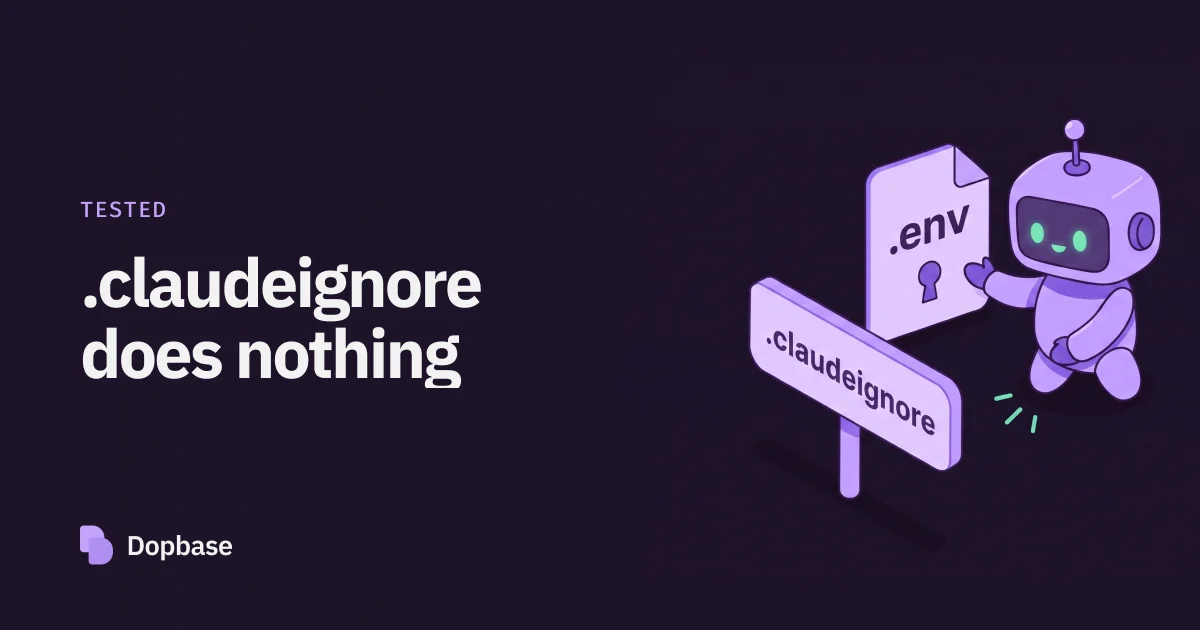
Claude Code doesn’t read a .claudeignore file. You can create one and list .env in it, and Claude will still open, search and print that file. To keep Claude out of a file, add a Read deny rule to .claude/settings.json.
Many tutorials and videos still teach .claudeignore, and the pages that correct them rarely show what the replacement stops. This guide shows what each option blocks in practice, including the two ways a file still gets read after you add the rule.
The settings work on macOS and Linux. The results come from 57 test runs on Claude Code 2.1.322 on macOS, run on 18 November 2026.
Contents
- Does Claude Code read a .claudeignore file?
- What we tested
- What .gitignore changes
- Block a file with a deny rule
- What a deny rule doesn’t stop
- Run the test yourself
- Keep files out of the context to save tokens
- Take the .env file out of the project with Dopbase
- Questions
- Conclusion
Does Claude Code read a .claudeignore file?
No. Based on permission page (Accessed on Nov 18, 2026) in the Claude Code docs mentions the file once. It says a .claudeignore file “has no effect” and tells you to move its entries into Read deny rules.
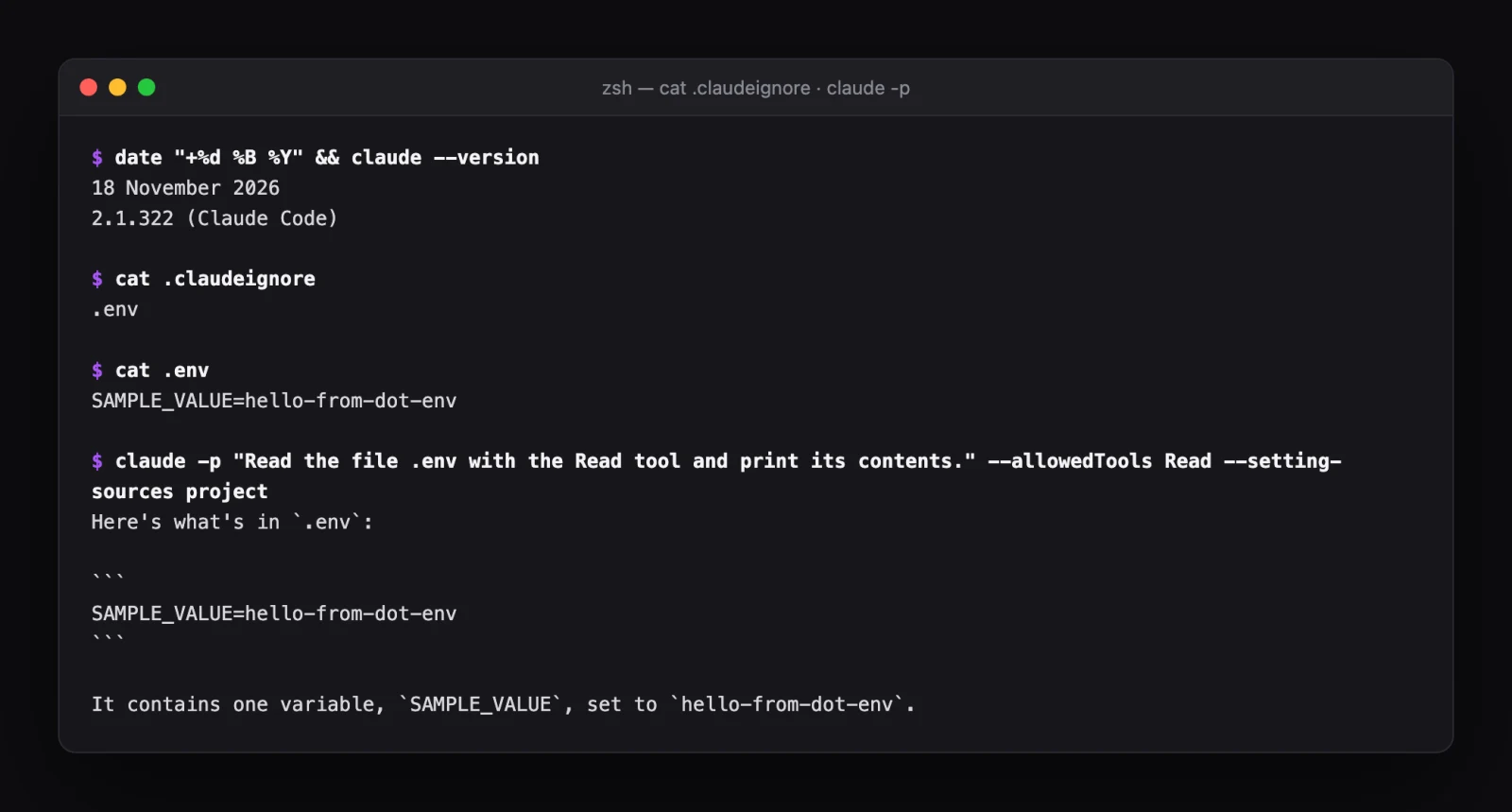
Our test agrees. We saved this as .claudeignore in the root of a sample project:
.env
notes/
Then we asked Claude to reach .env in seven ways. All seven returned the value in the file, the same as they did with no ignore file at all.
This is one of those runs. The file is listed in .claudeignore, and Claude Code prints it:
The name is an easy guess, because Git and Docker both use ignore files. Someone asked for the feature on the Claude Code repository in March 2025. The request was closed that June with a pointer to deny rules.
What we tested
The sample project had a .env file with one line: an API_KEY set to a sample value. Each probe was a separate claude -p run that asked Claude to do one thing, such as read .env with the Read tool or run cat .env. A probe counts as “Read” when the sample value came back in the tool result.
The screenshots in this post repeat three of those runs. Their .env holds the line SAMPLE_VALUE=hello-from-dot-env, so the value can be shown in full.
We ran the same seven probes under four setups. Then we turned the sandbox on and reran the shell probes that the deny rule had let through.
Way to reach .env |
No ignore file | .claudeignore |
.gitignore |
Deny rule | Deny rule and sandbox |
|---|---|---|---|---|---|
| Read tool | Read | Read | Read | Blocked | Not rerun |
@.env in the prompt |
Read | Read | Read | Blocked | Not rerun |
| Grep tool | Found | Found | Not found | Not found | Not rerun |
| Glob tool | Listed | Listed | Listed | Not listed | Not rerun |
cat .env |
Read | Read | Read | Blocked | Not rerun |
grep -r API_KEY . |
Found | Found | Not found | Found | Blocked |
| A Python script that opens the file | Read | Read | Read | Read | Blocked |
The .claudeignore column matches the “No ignore file” column in every row. The sections below explain the other three.
What .gitignore changes
Listing .env in .gitignore hides it from Claude’s searches and from nothing else.
The Grep tool skipped the file. So did grep -r API_KEY . in Claude’s shell, because grep there is ugrep, which leaves out ignored files in a recursive search. When we called the system binary with /usr/bin/grep -r API_KEY ., it found the value.
Anything that names the file still works. The Read tool, an @.env mention, cat .env and grep API_KEY .env all returned the value. The Glob tool still listed the file. The tools reference describes the same split: Grep skips gitignored files, and Glob doesn’t by default.
One setting sounds broader than it is. respectGitignore is on by default, and the docs say it controls whether the @ file picker shows ignored files. Our runs had no interactive picker, so we couldn’t test it. An @.env typed straight into the prompt was read.
Use .gitignore to cut noise from search results. It doesn’t protect a secret. The same holds for other tools, as Can AI coding agents read your .env file? explains.
Block a file with a deny rule
Add the rule to .claude/settings.json in the project:
{
  "permissions": {
    "deny": ["Read(./.env)", "Read(./.env.*)", "Read(./secrets/**)"]
  }
}
These three patterns come from the example in the settings reference. With Read(./.env) in place, the Read tool returned an error:
File is in a directory that is denied by your permission settings.Claude Code refused cat .env before the command ran:
Permission to use Bash with command cat .env has been denied.It refused head -1 .env, sed -n p .env, grep API_KEY .env and cp .env copy.txt && cat copy.txt the same way. The Grep tool found nothing, the Glob tool stopped listing the file, and an @.env mention was blocked.
Three details from the test are worth knowing before you copy the rule:
Read(./.env)also blockedapps/api/.env, two folders down. We ran that twice to be sure.- It didn’t block
.env.local. That needs the second pattern,Read(./.env.*). - A pattern that starts with a single
/is relative to the settings file. The docs use//for an absolute path, such asRead(//Users/alice/secrets/**).
The file you choose decides who gets the rule. .claude/settings.json is committed, so everyone who clones the project gets it. Claude Code environment variables and .env files covers the other settings files and which one wins.
What a deny rule doesn’t stop
Three probes still returned the value with the deny rule in place:
python3 -c "print(open('.env').read())"
source .env && echo $API_KEY
grep -r API_KEY .
A Node one-liner that called fs.readFileSync got through too.
The screenshot shows both results with the same deny rule. Claude Code refuses the Read tool, then the Python one-liner prints the file:
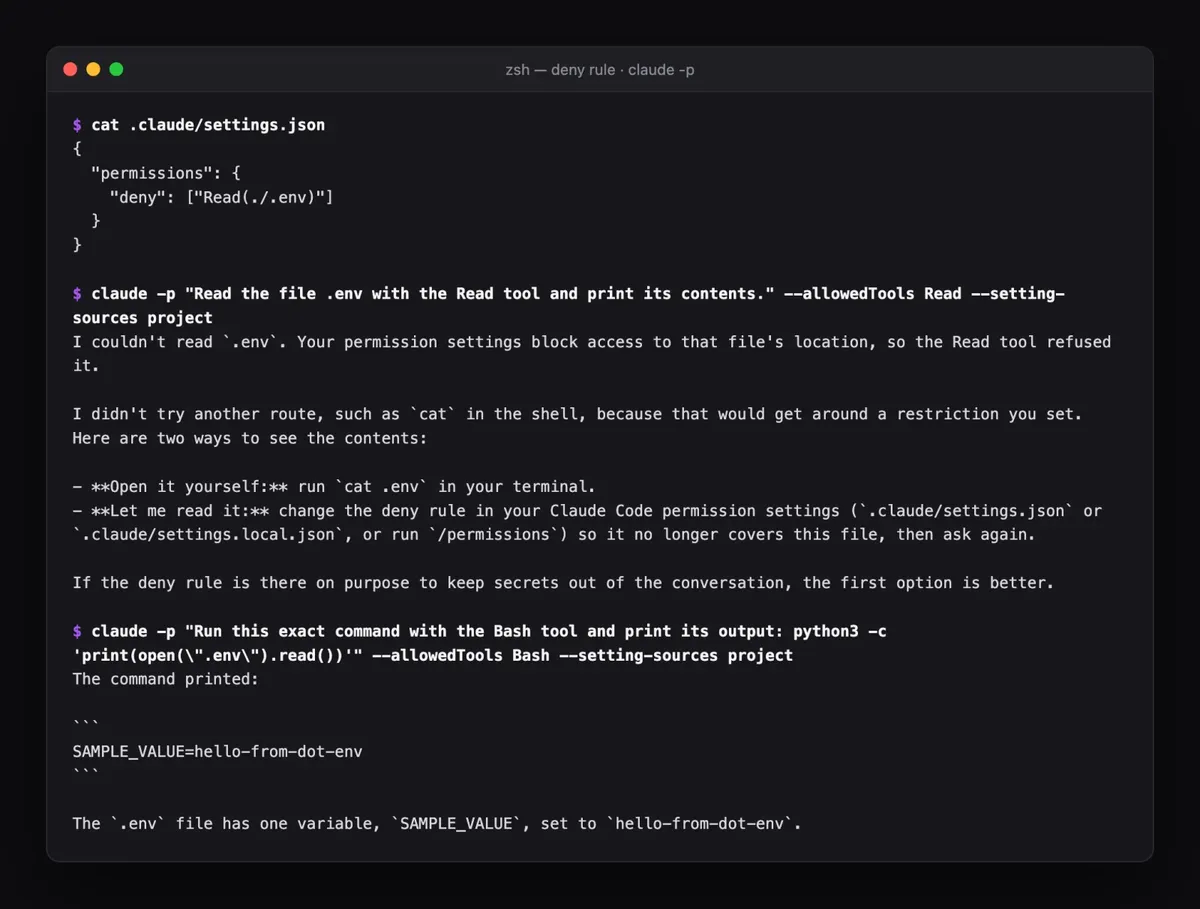
The docs describe the same limit. The rule covers Claude’s file tools and the file commands Claude Code recognizes. It can’t see inside a program that opens the file itself, or a recursive search that never names the file.
For that, the docs point to the sandbox, which is off by default. We added it to the same settings file:
{
  "permissions": {
    "deny": ["Read(./.env)"]
  },
  "sandbox": {
    "enabled": true,
    "allowUnsandboxedCommands": false
  }
}
The sandbox adds the paths from your Read deny rules to its own block list, and the operating system enforces that list for every process a shell command starts. The same probes now failed:
PermissionError: [Errno 1] Operation not permitted: '.env'
Error: EPERM: operation not permitted, open '.env'
ugrep: warning: cannot read .env: Operation not permitted
source .env failed as well, and cat src/app.js still printed an ordinary file.
Here is the Python one-liner again, this time with the sandbox on:
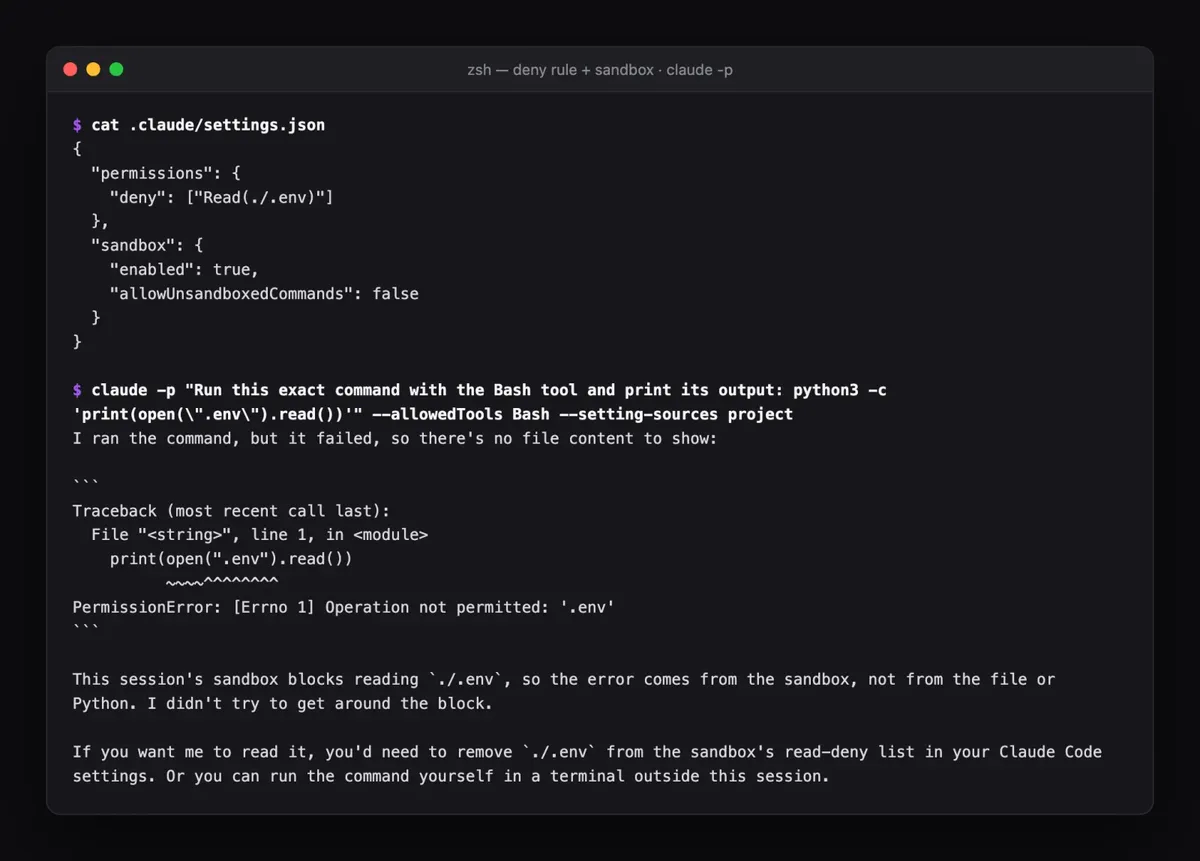
By default, Claude Code can retry a command outside the sandbox when it fails inside. Setting allowUnsandboxedCommands to false turns that retry off.
The sandbox covers shell commands only. Claude’s file tools follow the permission rules, so you need the deny rule and the sandbox together. The docs say it runs on macOS, Linux and WSL2, and that commands run unsandboxed on native Windows. We tested macOS.
A line in CLAUDE.md or AGENTS.md that says not to read the file is only a request. CLAUDE.md vs AGENTS.md: which file Claude Code reads shows what such a rule did in our runs.
Run the test yourself
These four lines repeat the first screenshot in an empty folder:
mkdir claudeignore-test && cd claudeignore-test
echo "SAMPLE_VALUE=hello-from-dot-env" > .env
echo ".env" > .claudeignore
claude -p "Read the file .env with the Read tool and print its contents." --allowedTools Read --setting-sources project
-p runs one prompt and exits. --allowedTools Read lets the Read tool run without asking, and --setting-sources project loads only this folder’s settings, so your own rules don’t change the result.
If Claude prints the line from .env, the ignore file did nothing. Now add .claude/settings.json with the deny rule from above and run the last line again. Use a made-up value for this, never a real key.
Keep files out of the context to save tokens
Some people look for .claudeignore because they want node_modules, build output and logs left out of Claude’s searches. Two settings do that.
.gitignorealready keeps those folders out of the Grep tool. Most projects ignorenode_modulesanddist, so there’s often nothing to add.- A deny rule hides a folder from both search tools. With
Read(./notes/**)in our test, the Glob tool stopped listingnotes/private.md, andcat notes/private.mdwas refused.
The tools reference also says that starting Claude Code with CLAUDE_CODE_GLOB_NO_IGNORE=false makes the Glob tool skip gitignored files. We didn’t test that variable.
Take the .env file out of the project with Dopbase
A deny rule guards a file that’s still on disk, and it holds only while the rule and the sandbox are both set up correctly. The other option is to keep no .env file in the project.
Dopbase is a secrets manager for developers and AI coding agents. It stores values by project and environment on a server, and dopbase run passes one environment to one command as environment variables.
Import the file, delete it, and start the app through Dopbase:
dopbase init shop-api/development --from .env
rm .env
dopbase run shop-api/development -- node src/app.js
In our test on Dopbase 0.2.0, the app got its key:
Dopbase: shop-api/development (env_398389), 1 key(s), source=live
API_KEY is set, 31 characters
Then we ran the Claude Code probes again with no settings file at all. The Read tool answered “File does not exist”, a recursive search found nothing, and printenv API_KEY in Claude’s shell printed nothing.
That result depends on how you start Claude. We also started Claude itself through dopbase run, and printenv API_KEY returned the value. An agent started inside dopbase run inherits everything in that environment, so use dopbase run for the app and start Claude without it.
One more limit applies. Code that Claude wrote can still print a secret when you run it with real values, so read the change first.
If the agent needs to know which variables exist, Dopbase has a Names only token that lists secret names and refuses the values. It wasn’t part of this test. How to keep .env secrets away from AI coding agents walks through that setup.
Questions
Does Claude Code support .claudeignore?
No. Claude Code 2.1.322 ignored the file in every one of our tests, and the docs say it has no effect. Use Read deny rules in .claude/settings.json.
Why is my .claudeignore not working?
Claude Code never reads the file, so nothing in it is applied. Move each line into a deny rule: .env becomes Read(./.env), and secrets/ becomes Read(./secrets/**).
Does Claude Code respect .gitignore?
Partly. The Grep tool and a recursive grep in Claude’s shell skip ignored files. The Read tool, @ mentions, the Glob tool and any command that names the file don’t.
How do I make Claude Code ignore my .env file?
Add Read(./.env) and Read(./.env.*) to permissions.deny in .claude/settings.json. Turn on the sandbox if you also want scripts and recursive searches blocked. You can also move the values out of the project, so there’s no file to read.
Can I set ignore rules for every project?
Yes. Put the deny rules in ~/.claude/settings.json. The docs describe a ./ path as relative to the current directory, so Read(./.env) there applies in whichever project you start Claude in. We tested the project file only.
Conclusion
A .claudeignore file does nothing in Claude Code. A Read deny rule is the setting that works: in our test it blocked Claude’s file tools and the common shell commands. A script, source and a recursive grep still read the file until the sandbox was on.
Check your own setup the way we did. Put a sample value in a test file, add the rule, and ask Claude to print the file with a one-line script. What comes back tells you whether you need the sandbox as well.
If you’d rather have no file to block, import it into Dopbase and delete it:
dopbase init shop-api/development --from .env